A used K&S ICONN wire bonder can provide additional production capacity, replace an aging machine or support an existing package line. However, the model name alone does not show whether the equipment is complete, stable or compatible with the intended semiconductor package.
ICONN machines may differ in bond head, transducer, EFO, gas system, vision hardware, indexer, clamp, heater block, software and tooling. Equipment condition can also vary significantly depending on production history, maintenance and storage.
This checklist explains what to inspect before buying a used K&S ICONN, ICONN PLUS, ICONN ProCu or ProCu PLUS wire bonder.
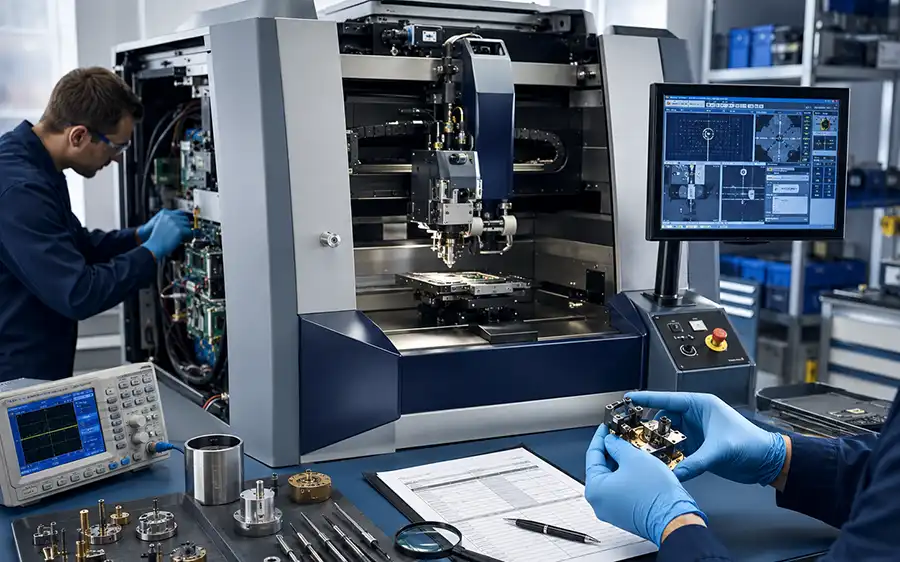
Why a Used ICONN Wire Bonder Needs a Configuration-Based Inspection
A seller may provide a model name, manufacturing year and exterior photos, but these details are not enough to confirm production suitability.
A machine may power on while still having problems with the bond head, wire clamp, ultrasonic system, EFO, gas delivery, indexer, computer or software. It may also operate correctly but include an indexer or clamp that cannot run the customer’s package.
The inspection should answer three separate questions:
Is the machine correctly identified?
Does the machine operate in its current condition?
Can the installed configuration support the target package and process?
These questions require different evidence. A power-on video can support the second question but may not answer the third.
1. Confirm the Exact Model and Serial Number
Begin by requesting clear photos of the machine nameplate. The nameplate should be readable and show the complete model, serial number and manufacturing information.
Do not rely only on a title such as “K&S ICONN wire bonder for sale.” The actual equipment may be an ICONN PLUS, ICONN ProCu, ProCu PLUS, LA or ELA configuration.
Record the following details:
Complete manufacturer name
Full model name and suffix
Serial number
Manufacturing year
Electrical specification
Machine option labels
LA or ELA identification
Any refurbishment or upgrade labels
Compare the physical nameplate with the model shown on the software screen. Differences should be investigated before the equipment is accepted.
2. Review the Machine’s Production and Maintenance History
Production history provides useful context for evaluating wear and likely service requirements.
Ask what type of package and wire material the machine previously processed. A machine used for copper wire production may have a different EFO, gas system, capillary setup and process history from a gold wire machine.
Useful records include:
Previous package or application
Wire material and diameter
Operating hours, when available
Preventive maintenance history
Bond-head service or replacement
Transducer replacement or calibration
Indexer repairs
Computer or hard-drive replacement
Software updates
Major alarms or recurring faults
Storage period and storage environment
A missing maintenance record does not automatically make a machine unsuitable, but it increases the importance of physical inspection and extended operation testing.
3. Inspect the Bond Head and Z-Axis Assembly
The bond head is one of the most important mechanical assemblies on an automatic wire bonder. Its condition affects force control, ultrasonic transfer, wire handling and bond placement.
Inspection points include:
Smooth Z-axis movement
Homing and repeat movement
Abnormal vibration or noise
Bond-force response
Transducer mounting
Capillary-holder condition
Wire-clamp movement
Cables and flexible connections
Signs of collision or physical damage
Calibration status
Ask whether the bond head has been repaired or refurbished. Request service documentation where available.
A simple movement test is useful, but a bonding demonstration provides stronger evidence because it places the bond head under actual process conditions.
4. Check the Ultrasonic System and Transducer
Thermosonic ball bonding combines heat, force and ultrasonic energy. The transducer and ultrasonic system therefore have a direct influence on bond formation.
Review:
Transducer identification
Visible physical condition
Mounting and cable condition
Ultrasonic output status
Calibration records
Recent replacement or repair history
Process alarms related to ultrasonic performance
Where practical, compare bonding results at several positions across the package or bondable area. Position-dependent variation may indicate a mechanical, tooling or process issue that requires further investigation.
5. Inspect the EFO System
The electronic flame-off system forms the free-air ball at the end of the wire before the first bond.
For a used ICONN machine, inspect:
EFO electrode condition
Electrode position and adjustment
EFO cable condition
Ball formation consistency
Related alarms
Wire-tail control
Compatibility with the intended wire material
For copper wire applications, EFO inspection should be performed together with the protective gas system. Stable copper ball formation depends on both systems working correctly.
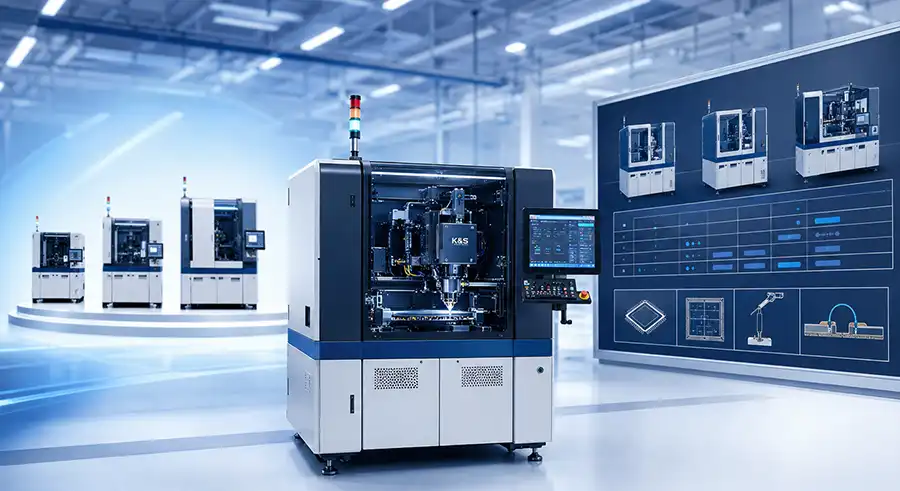
6. Verify the Protective Gas System on ProCu Machines
A machine offered as an ICONN ProCu or ProCu PLUS should include the copper-related hardware required by its process configuration.
Check the following components:
Gas inlet and connection points
Pressure regulators
Flow-control components
Solenoid valves
Gas tubing
Ball-formation nozzle
Nozzle position and condition
Gas alarms or interlocks
Signs of leakage or modification
Ask for photos of the complete gas route rather than only a close-up of the nozzle. Missing regulators, valves or internal components may not be visible from the bonding area.
For more information about the copper process, review the K&S ICONN ProCu wire bonder guide.
7. Test the Wire Clamp and Wire Path
The wire path must guide the wire consistently from the spool to the capillary. Wear, contamination or incorrect adjustment can lead to unstable tails, wire feeding errors or irregular looping.
Inspect:
Wire spool holder
Wire guides
Air tensioner or tension-control components
Wire clamp opening and closing
Clamp tips and wear surfaces
Capillary holder
Wire threading path
Tail consistency during operation
Confirm which wire diameter and spool format were previously used. Parts configured for one wire size may need replacement or adjustment for another process.
8. Inspect the Vision System and Lighting
The vision system identifies die pads, leadframe or substrate references and machine alignment targets.
Check:
Camera image quality
Focus across the working area
Lighting-channel operation
Pattern-recognition response
Stage-to-camera calibration
Image noise or intermittent signal
Lens and protective-window condition
Alignment at several package positions
A camera image displayed on the monitor is not enough. Request a demonstration of pattern recognition, alignment correction and movement to programmed bond locations.
9. Test the XY Stage and Motion System
The XY stage should move smoothly, home correctly and reach programmed positions without unusual vibration or error messages.
Inspection should include:
Axis homing
Manual jog movement
Programmed point-to-point movement
Movement across the full required area
Position repeatability
Unusual noise
Motor and encoder alarms
Cable-track condition
Lubrication and visible contamination
For LA or ELA machines, test the extended working area rather than demonstrating only the center of the stage.
10. Verify the Indexer and Material-Handling System
The indexer determines whether the machine can transport, position, clamp and heat the target leadframe or substrate.
Request the complete package drawing and compare it with:
Track-width range
Rail geometry
Input and output direction
Index pitch
Transport fingers or belts
Clamp opening
Window-clamp geometry
Heater-block dimensions
Package support points
Bondable area
A machine can have sufficient bonding travel while still being unable to handle the package mechanically.
Ask whether the quoted equipment includes product-specific clamps, heater blocks and change parts. These items may be stored separately from the machine.
11. Check the Heater and Temperature-Control System
Many thermosonic wire bonding processes use controlled package heating. The heater block and temperature-control system should therefore be included in the inspection.
Review:
Installed heater block
Heater dimensions and package contact
Temperature-controller operation
Thermocouple condition
Heating stability
Temperature alarms
Cables and connectors
Actual temperature verification where possible
Confirm whether the heater block matches the target package. A functional heater with the wrong geometry may still require new tooling.
12. Inspect Pneumatic and Vacuum Systems
Wire bonders use pneumatic and vacuum functions for clamps, tooling, material handling and other machine operations.
Check:
Air-pressure stability
Vacuum generation
Regulators and gauges
Solenoid valves
Cylinders
Air tubing and fittings
Leaks during extended operation
Pressure and vacuum alarms
Short tests may not reveal slow leaks. Keep the machine operating long enough to detect pressure loss, repeated alarms or unstable actuator movement.
13. Review the Computer, Software and Licenses
A mechanically complete machine can still be difficult to operate if the computer, software or licenses are missing.
Record:
Computer model and operating condition
Hard-drive or storage status
Software version
Installed licenses
Machine configuration files
Process programs
Calibration data
User accounts and passwords
Backup images
Manuals and software media
Network and communication settings
Request a full system backup before shipment. A backup is particularly important for legacy equipment because replacement computer hardware may not contain the required machine configuration.
14. Confirm the Included Tooling and Accessories
The value of a used K&S ICONN wire bonder depends partly on what is included with it.
Create a written accessory list covering:
Clamps and window clamps
Heater blocks
Track and rail parts
Input and output change parts
Capillary holders
Wire spool components
Gas nozzles
Calibration tools
Computer and monitor
Keyboard and control devices
Manuals
Software backups
Spare parts
External transformers or power equipment
Photograph accessories before packing and reference them in the quotation or packing list.
15. Request the Correct Type of Test Evidence
Not all equipment demonstrations provide the same level of evidence.
| Test Type | What It Can Confirm | What It Cannot Confirm |
|---|---|---|
| Power-on test | Machine starts, computer loads and major controllers communicate | Bond quality, package compatibility or extended stability |
| Manual motion test | Axes, clamps and selected actuators move | Repeatability under an automatic production cycle |
| Dry run | Program execution, motion sequence and basic material handling | Qualified bonds using the intended wire and package |
| Sample bonding test | Machine can create bonds using the available sample, wire and tooling | Production acceptance for a different customer package |
| Customer product test | Stronger evidence of package and process compatibility | Long-term reliability unless the agreed validation is completed |
| Extended continuous run | Basic stability, alarms, leaks, indexing and repeated operation | Final package reliability without the required quality testing |
The quotation should clearly state which test is included. Avoid using the term “fully tested” without defining the test scope.
Documents and Evidence to Request
Before confirming a used ICONN wire bonder, request:
Nameplate photographs
Full machine photographs
Bonding-area photographs
Indexer and tooling photographs
Power-on video
Axis and motion video
Vision and alignment video
EFO demonstration
Gas-system photographs for ProCu machines
Indexer and clamp demonstration
Alarm-screen photographs
Software-version screen
Accessory list
Maintenance or refurbishment record
Test report or defined inspection checklist
Packing list
Possible Refurbishment Scope
Refurbishment should be based on inspection findings rather than a generic statement that the machine has been cleaned.
A practical scope may include:
External and internal cleaning
Removal of wire and production residue
Replacement of damaged tubing and cables
Bond-head inspection
Wire-clamp service
EFO service
Gas-system leak check
Vision cleaning and focus check
Indexer cleaning and adjustment
Pneumatic leak repair
Computer backup
Replacement of failed fans or storage devices
Axis and motion verification
Extended dry-run testing
Customer-sample testing when tooling and materials are available
Ask the supplier to describe completed work in writing. “Refurbished” can mean different things unless the actual scope is listed.
Information to Include in a Used ICONN Inquiry
Send the following information when requesting a machine:
Required ICONN model or acceptable alternatives
Gold, copper or alloy wire
Wire diameter
Package drawing
Leadframe or substrate dimensions
Required bondable area
Standard, LA or ELA preference
Required indexer and tooling
Software or process-file requirements
Preferred manufacturing year
Used, tested or refurbished condition
Required demonstration scope
Destination country
Installation or training requirements
Detailed inquiry information makes it easier to reject incompatible machines before inspection, shipping or tooling costs are incurred.
Used K&S ICONN Wire Bonder FAQ
What is the most important thing to check on a used ICONN?
First confirm the exact model and configuration. Then inspect the bond head, transducer, EFO, vision, indexer, software and tooling.
Is a power-on video enough?
No. It confirms only that the machine starts and selected systems communicate. Additional motion, vision, indexer and bonding tests are needed.
How can I confirm that an ICONN is configured for copper wire?
Check the complete ProCu model identification, gas-delivery hardware, EFO, software, process history and available copper ball-formation evidence.
Should a used machine include clamps and heater blocks?
They are not always included. Confirm every piece of tooling and list it in the quotation and packing list.
What is the difference between tested and refurbished?
Tested normally means that defined functions have been demonstrated. Refurbished should mean that inspection, cleaning, repairs or component replacement have been completed according to a documented scope.
Can a dry run confirm production readiness?
No. A dry run demonstrates machine movement and sequence execution. Production readiness requires the correct wire, capillary, package, tooling, recipe and acceptance testing.
Should I buy the newest available ICONN machine?
The newest machine is not automatically the best match. Configuration, tooling, software compatibility, condition and process fit are more important than year alone.
Where can I compare ICONN models before buying?
Review the K&S ICONN wire bonder model guide before comparing specific used machines.
Final Used ICONN Inspection Checklist
Model and serial number verified
Manufacturing year confirmed
Standard, LA or ELA configuration confirmed
Wire process and previous application reviewed
Bond head inspected
Transducer and ultrasonic operation checked
Wire clamp and wire path checked
EFO tested
Gas system checked for ProCu equipment
Vision and pattern recognition tested
XY and Z motion tested
Indexer and clamp tested
Heater and temperature control checked
Pneumatic and vacuum systems checked
Software and licenses recorded
Computer backup created
Tooling and accessories listed
Test scope defined
Refurbishment scope documented
Packing and shipment requirements confirmed
Conclusion
A used K&S ICONN wire bonder should be evaluated as a complete process and material-handling system. The exterior condition and model name provide only part of the information needed.
Confirm the exact machine identity, inspect the bond head and ultrasonic system, verify EFO and protective gas hardware, test vision and material handling, review software and document every included tool and accessory.
Browse the complete K&S ICONN wire bonder series, review the ICONN ProCu copper process page, or compare additional semiconductor wire bonder equipment.